Welcome to WP Umbrella! In this guide, we will walk you through the steps to activate the Patchstack-powered firewall for your websites. Enabling this add-on protects your sites at the PHP level and applies virtual patches automatically without slowing anything down. If you ever need help with the setup, you can always reach out to us at [email protected]. 😊
🕒Estimated Time to Complete: 1 minute
✅Prerequisites: Your WordPress website needs to be connected to your WP Umbrella dashboard.
Log in to your WP Umbrella dashboard.
Locate the site you wish to protect and click on the Security section.
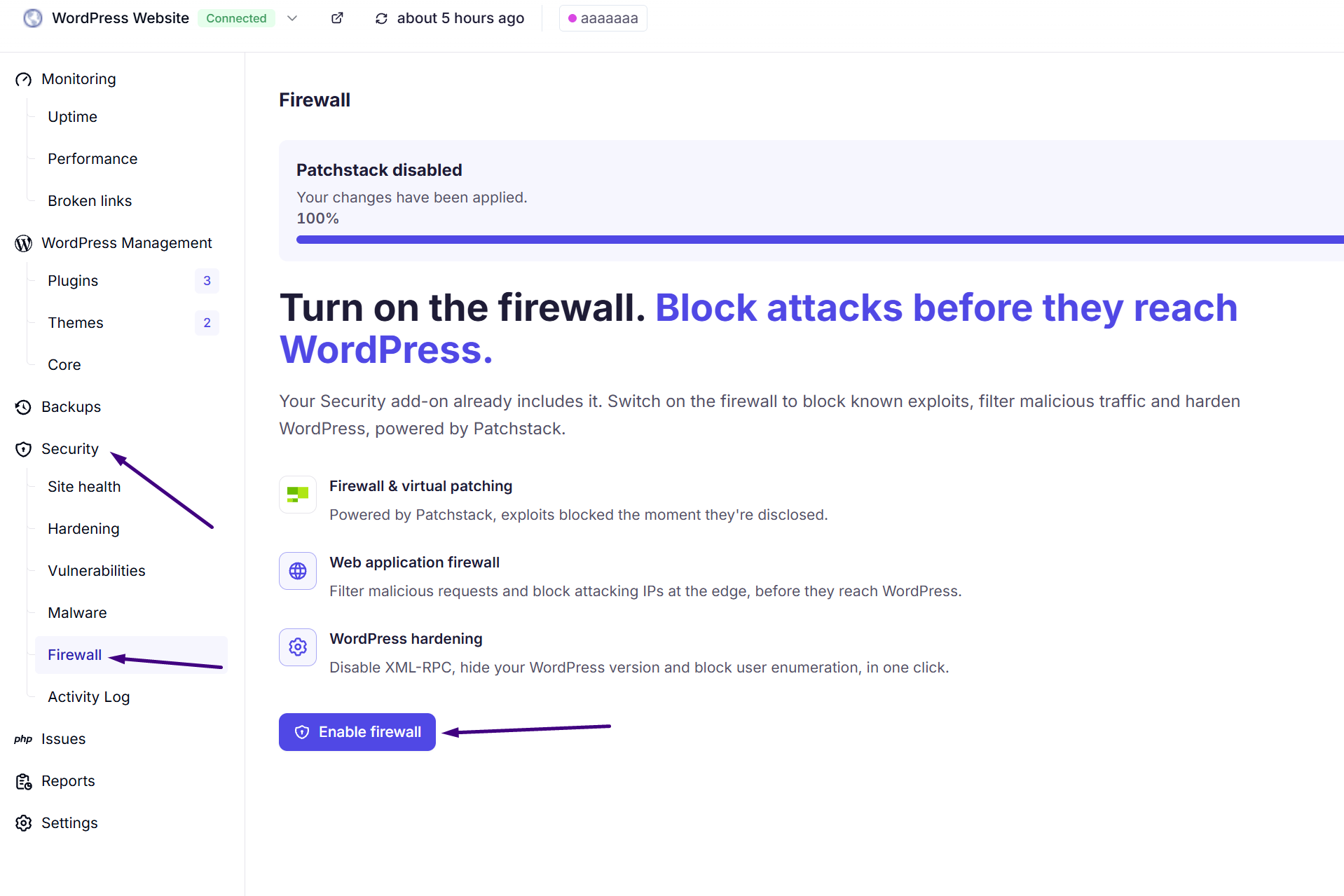
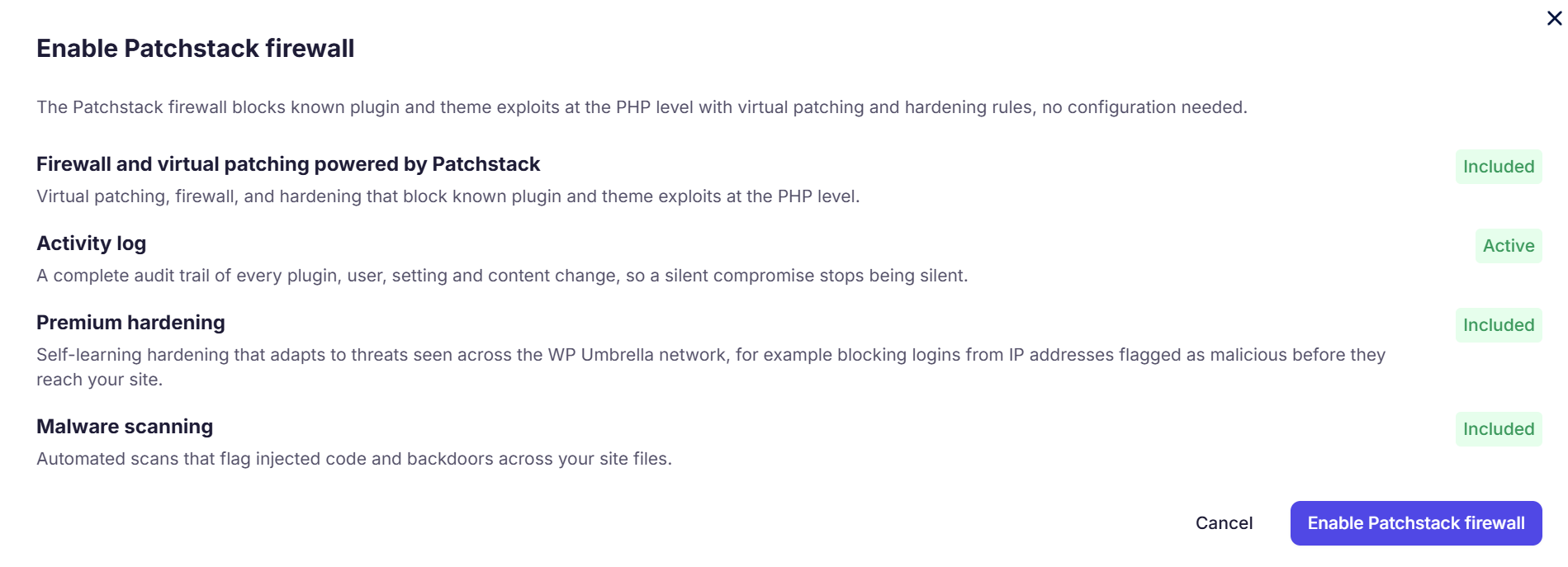
Activate the toggle to turn on the firewall and virtual patching. This will install Pathcstack plugin on your site to enable their full services.
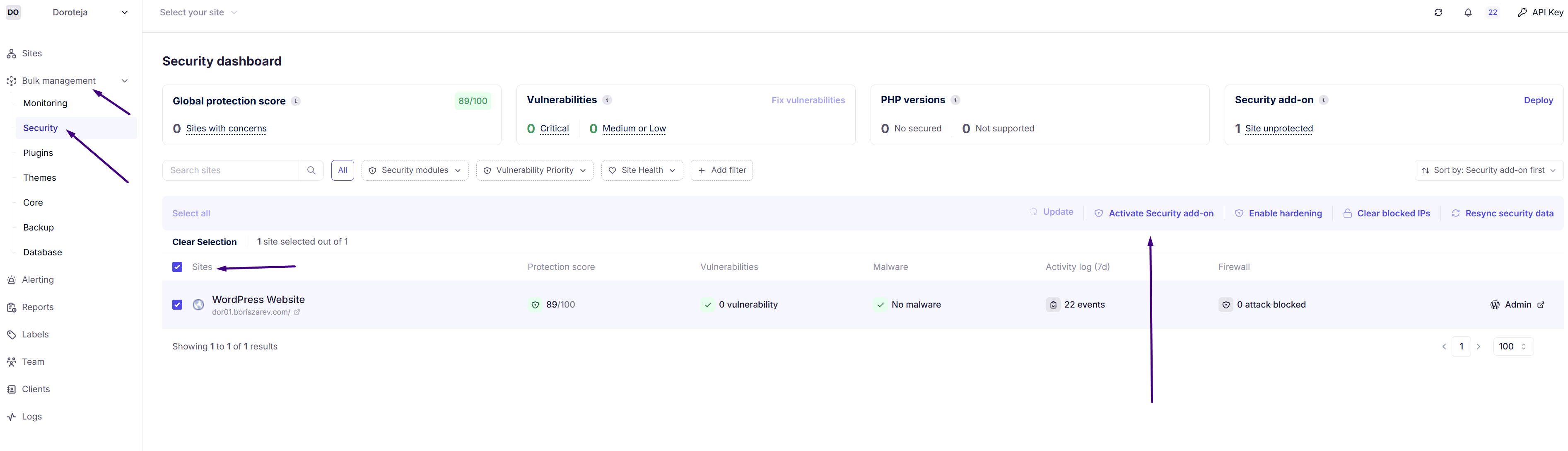
You can also turn on the firewall for multiple sites at once if you prefer.
Go to the bulk security view in your main dashboard.
Select the sites you want to protect and enable the Security add-on for all of them at the same time.
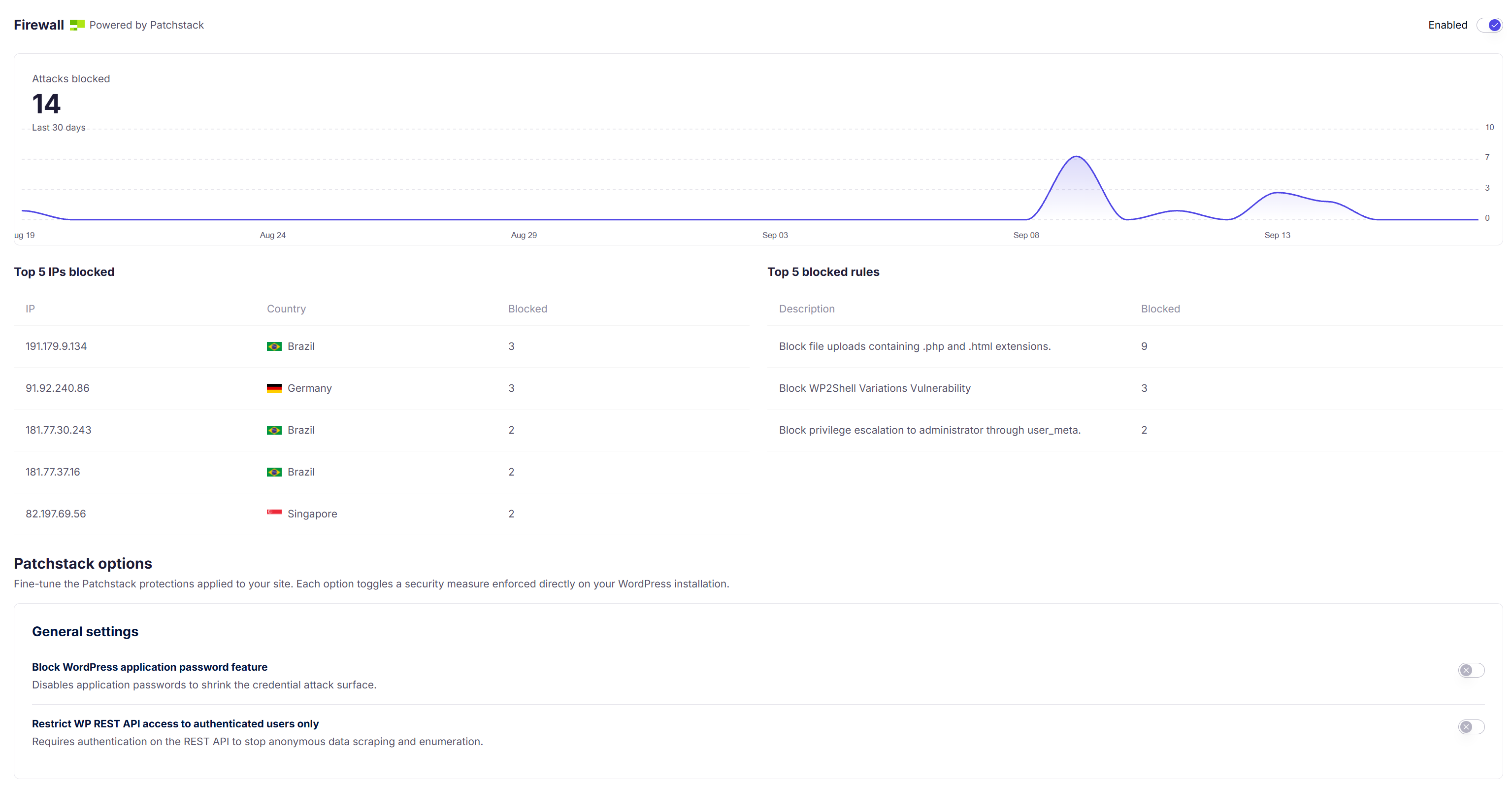
You can review intercepted exploit attempts and blocked IPs directly and enable additional general settings.
❓: Does the Firewall replace my existing security plugin?
Yes, it replaces in-WordPress security plugins like Wordfence or Sucuri. It works at the PHP level, meaning it perfectly complements DNS-level services like Cloudflare.
❓: How much does the Security add-on cost?
The firewall and virtual patching protection costs €2 per site per month. You only pay for the specific sites where you activate it.
❓: Where can I see what the firewall is blocking?
Once the firewall is active, you can review intercepted exploit attempts and blocked IPs directly in your Firewall tab.
That is it! You have successfully enabled the Patchstack-powered firewall. Your websites are now actively protected against exploits and known vulnerabilities. If you run into any issues or need assistance, please check out this guide and feel free to reach out to our support team—we are happy to help!
