WP Umbrella’s built-in malware scanner automatically inspects your website files to uncover hidden infections and security threats before they cause damage. Because scans run securely on our own servers directly after your backup completes, your live site’s performance remains untouched. This guide explains how our daily scanning works, how findings are categorized in your dashboard, and how to resolve any flagged files.
🕒Estimated Time to Complete: 5 minutes
Access to your WP Umbrella dashboard
Active backups enabled for your website
Our malware scanner uses an in-house engine combining signature-based detection with file integrity checks against the official WordPress repository for core, plugins, and themes.
Because the scanning process takes place entirely on our secure servers rather than your live server, it requires an active backup. Once a backup completes, the engine immediately scans those backed-up files. If backups are disabled, the scanner cannot run. If your site is set to a weekly backup schedule, the scan will run weekly following that backup.
When the scanner completes a run, any flagged items appear in the Malware section of your dashboard under three dedicated tabs:
Confirmed Malware: This tab lists verified malicious infections that require immediate removal and intervention.
Awaiting Review: This tab contains suspicious files that require your attention to determine if they are legitimate custom code or harmful scripts.
Dismissed: This tab stores files you have manually verified as safe. Dismissing a file stops future alerts for it and trains our engine to avoid similar false positives.
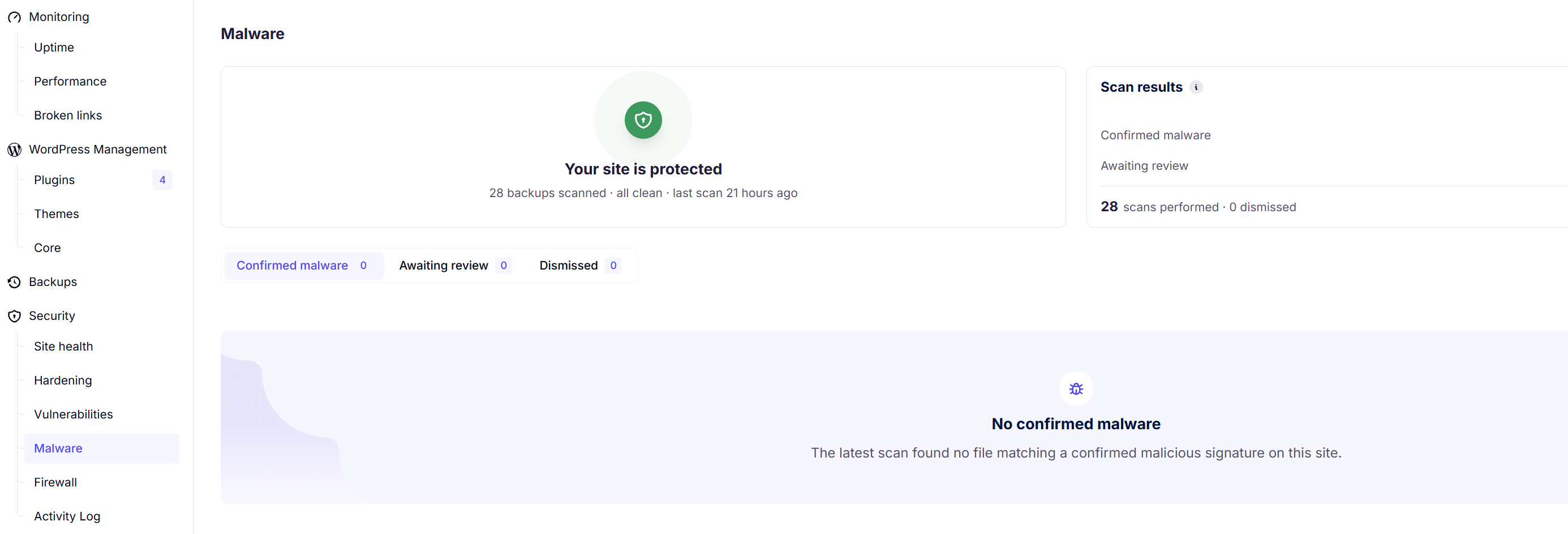
If you see files in Awaiting Review that you know are legitimate, you can dismiss them. If you are uncertain about any file, ask our support team before dismissing it.
If you have files under Confirmed Malware, reach out to our support team immediately. Our engineering team provides an on-demand manual cleanup service to thoroughly sanitize your site for an additional fee, or you can restore your site using a clean backup.
The malware scanner requires an active backup to function because it inspects files on our servers rather than overloading your live host. If backups are disabled for a site, the engine has no files to inspect and will not run.
Running a standalone scan without a backup is not possible. Scanning our secure backup copies ensures zero resource drain on your live production server.
Malware alert notifications can be toggled on within your alert settings in the WP Umbrella dashboard so you receive immediate updates whenever an issue is detected.
If a harmless file appears in Awaiting Review, simply mark it as dismissed. This moves the file to your Dismissed tab, halts future notifications, and trains our scanner to recognize it as safe moving forward.
Our team offers an on-demand manual cleanup service where our engineers personally remove malicious code and secure your installation for an additional fee.
Automated daily scans help you catch infections early without putting extra load on your live hosting environment. By reviewing your dashboard tabs and keeping backups active, you ensure your WordPress sites remain secure and monitored around the clock. If you ever need guidance or assistance with a flagged file, reach out to our team at [email protected].
