Most compromised WordPress sites aren't hacked with anything clever. Attackers list usernames through public endpoints, brute-force a password, then use built-in features like the theme editor to inject code. Hardening closes those doors before anyone knocks.
With WP Umbrella you can see exactly what is protected, and adjust each rule to what the site actually needs.
⏱ Estimated time to configure: 2–3 minutes per site (defaults are applied automatically)
✅ Prerequisites:
WP Umbrella plugin installed and activated on your WordPress site
Active Security add-on (+2€/month per site)
Go to the Security tab of any site in your dashboard and open the Hardening section.
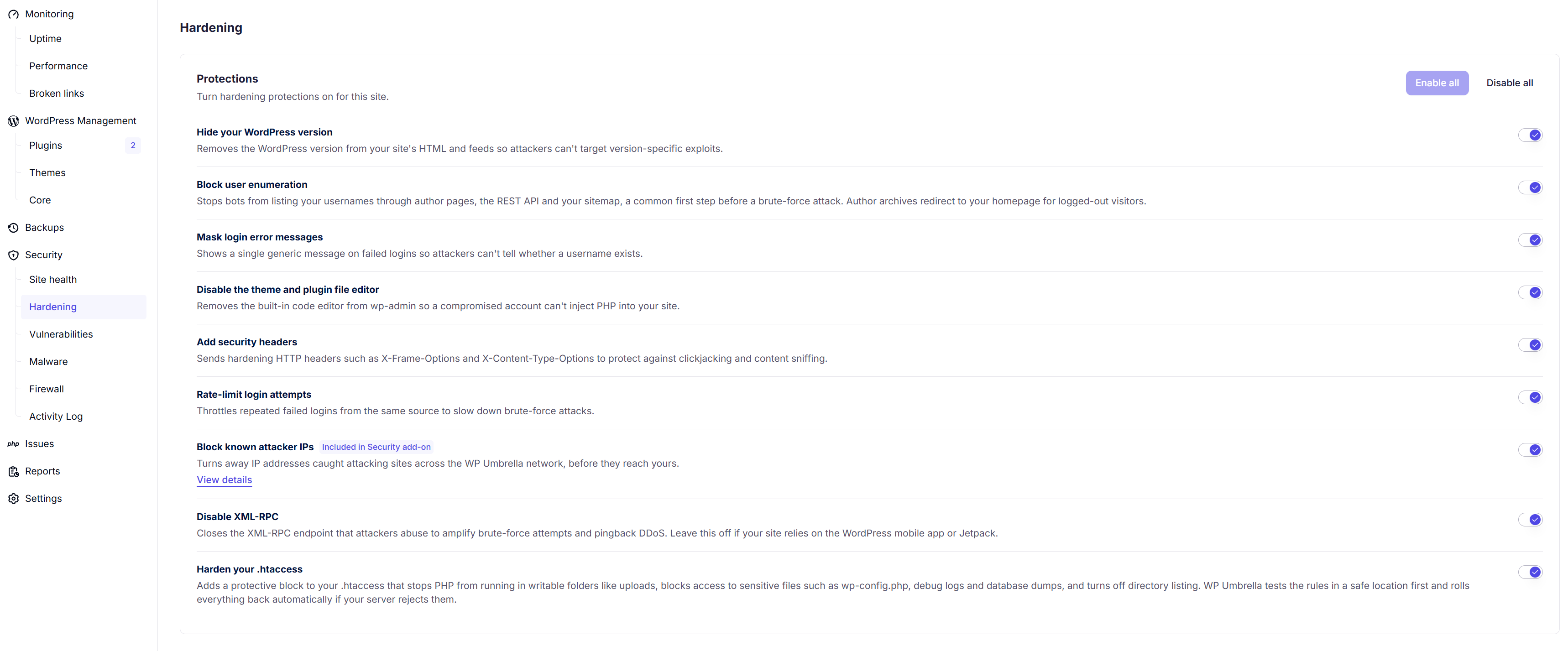
Protection | What it does & Why it matters |
Hide your WordPress version | Removes the WordPress version from your site's HTML and feeds so attackers cannot target version-specific exploits. |
Block user enumeration | Stops bots from listing your usernames through author pages, the REST API, and your sitemap. Author archives will safely redirect to your homepage for logged-out visitors. |
Mask login error messages | Shows a single generic message on failed logins so attackers cannot tell whether a username actually exists in your database. |
Disable the theme and plugin file editor | Removes the built-in code editor from wp-admin, ensuring a compromised account cannot inject PHP directly into your site. |
Add security headers | Sends hardening HTTP headers such as X-Frame-Options and X-Content-Type-Options to protect against clickjacking and content sniffing. |
Rate-limit login attempts | Throttles repeated failed logins from the same source to slow down brute-force attacks. |
Block known attacker IPs | Turns away IP addresses caught attacking sites across the WP Umbrella network before they ever reach yours. This is included only in the Security add-on. |
Disable XML-RPC | Closes the XML-RPC endpoint that attackers abuse to amplify brute-force attempts and pingback DDoS. Leave this off if your site relies on the WordPress mobile app or Jetpack. |
Harden your .htaccess | Adds a protective block to your .htaccess that stops PHP from running in writable folders like uploads, blocks access to sensitive files such as wp-config.php and database dumps, and turns off directory listing. WP Umbrella tests the rules in a safe location first and rolls everything back automatically if your server rejects them. |
Require two-factor authentication for administrators | Every administrator of this site is asked to set up an authenticator app the next time they log in, then to enter a code at each login. Recovery codes are generated during setup, and one-click access from WP Umbrella keeps working |
A portfolio-wide policy can sometimes break a client's edge case. Always check what each site depends on before you restrict access so you get the security win without creating a new support ticket.
For instance, disabling XML-RPC is excellent for security, but you must leave it toggled off if the site relies on the official WordPress mobile app or Jetpack to function properly.
No. Enabling the Security add-on applies the recommended configuration instantly. The Hardening section is there when you want to tighten or loosen individual rules.
The default set is chosen to be safe for the vast majority of sites. The rules that most often interact with legitimate functionality (application passwords, REST API restriction) are off by default, and everything is reversible with one toggle.
