WP Umbrella has always included an Activity Log for platform operations: who on your team updated a plugin, when a backup ran, what changed inside WP Umbrella. That log stays included on every account.
The Security-Driven Activity Log is different. It records what happens on the WordPress sites themselves (sign-ins, content changes, account changes, file edits) and analyzes those events for security patterns. A single failed login means nothing. Dozens of failed logins spread across many IPs in a day is a slow brute-force built to stay under rate limits. This log makes that distinction for you.
🛠 Prerequisites:
WP Umbrella plugin installed and activated on your WordPress site
Active Security add-on (+2€/month per site)
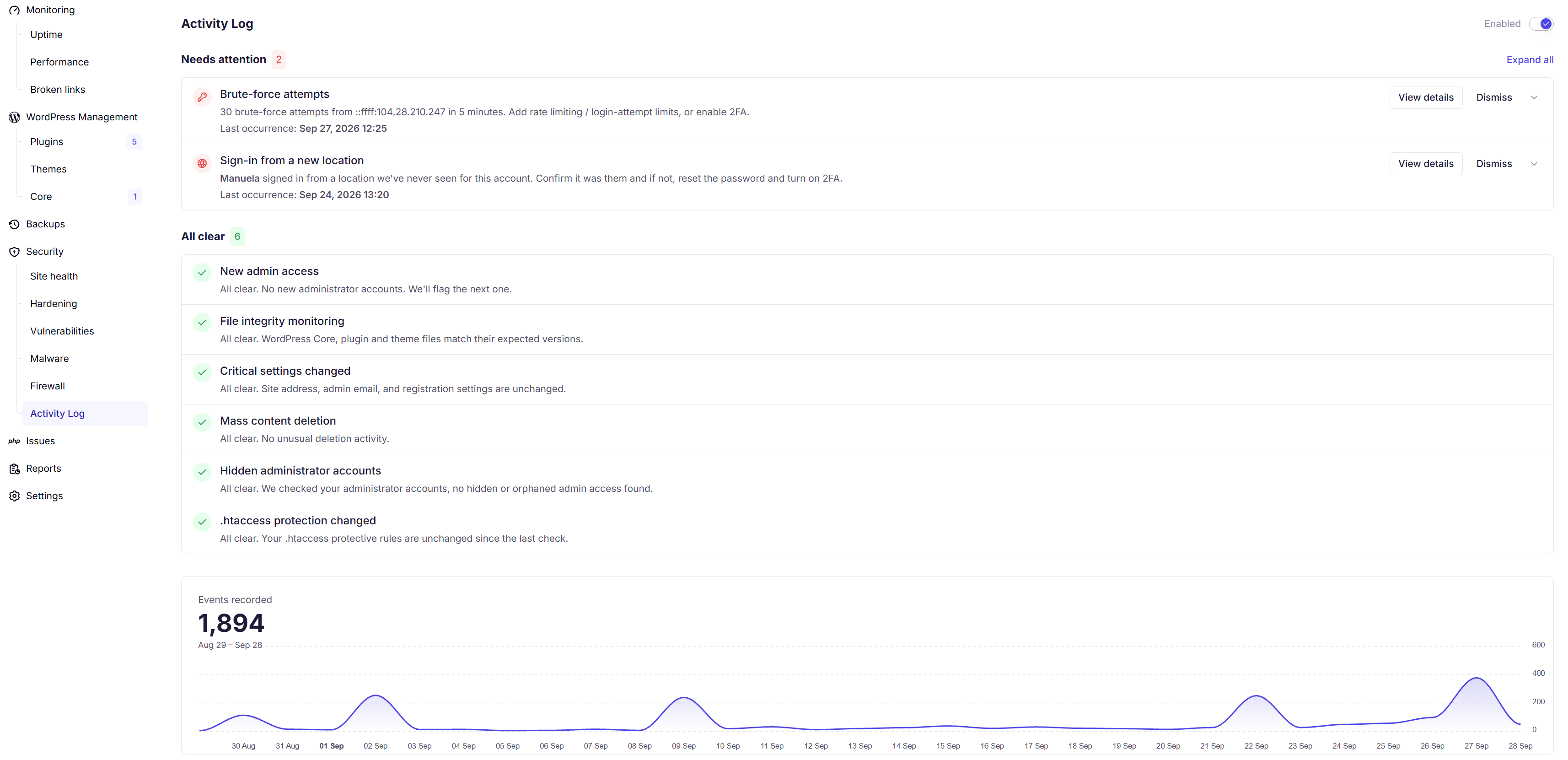
Open the Security tab of a site and go to the Activity Log section. Detections appear under Needs attention; verified-quiet checks appear under All clear.
Detection | What it watches for | Why it matters |
Brute-force protection | Repeated failed sign-ins on an account, including attempts spread across many IPs | Password attacks rarely come from one address; distributed attempts are designed to evade simple rate limits |
Mass content deletion | An unusual volume of posts or media deleted within minutes | A common signature of a compromised account or a destructive script |
Privilege escalation | The first time an account is granted administrator access | Usually a legitimate change, but a new admin is also how attackers keep access; worth a quick confirmation |
Unusual sign-in location | A login from a location never seen for that account | We learn the IP patterns each user normally signs in from; a deviation is a possible sign of stolen credentials |
File integrity | Direct edits to WordPress core or theme files | Legitimate updates rarely touch these files this way; it's a frequent hiding place for injected malware |
Critical settings changed | Changes to the handful of settings attackers target first | Changing the site address can hijack traffic, swapping the admin email can lock you out, and open registration with a default administrator role leaves a quiet backdoor |
An alert you can't verify is just noise with a severity label. Click View details on any detection to see an exact breakdown of what happened.
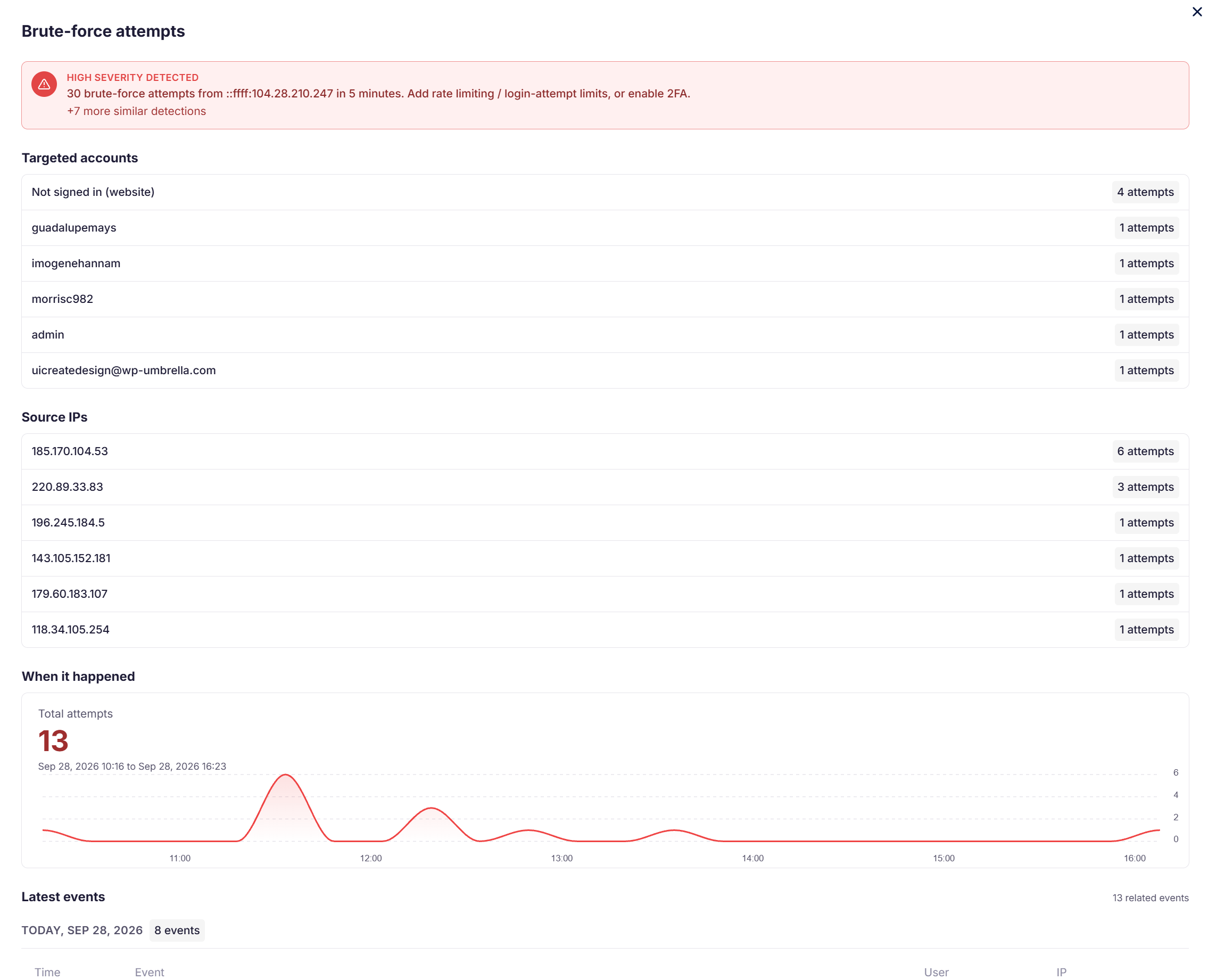
This is the "what happened, who did it, when" answer you need after an incident, whether you're fixing the site or explaining the situation to a client.
Checks that pass are listed explicitly under All clear. A dashboard that only shows problems can't tell you the difference between "safe" and "unmonitored". Here, a quiet log means verified quiet.
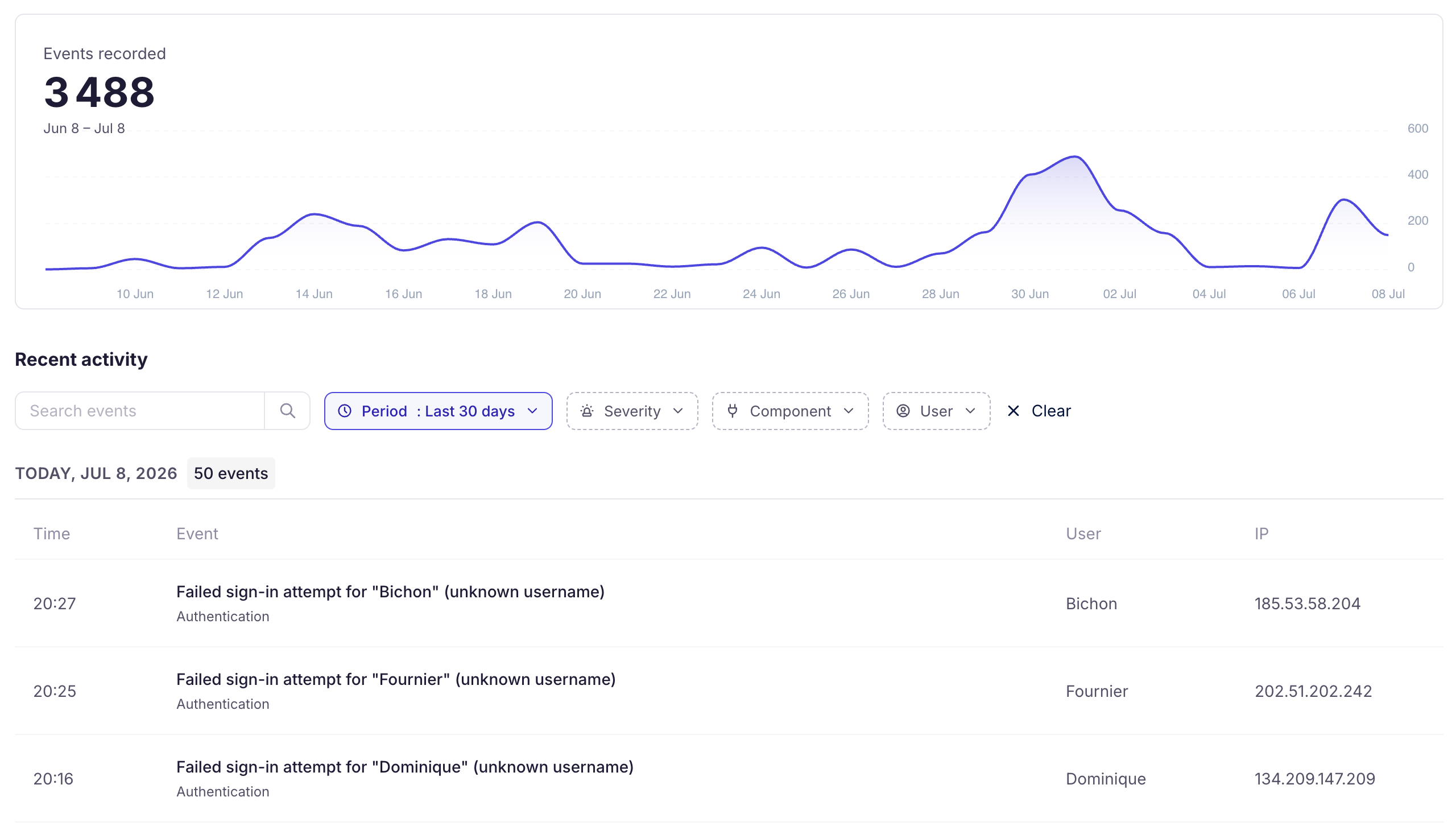
Below the detections, the Recent activity feed records the underlying events, with:
A chart of events recorded over time
Search across events
Filters by period, severity, component, and user
Useful for audits, client questions, and the occasional "who changed that?" mystery.
Pattern detection uses thresholds, and thresholds occasionally flag legitimate work; a client bulk-deleting old content can look like mass deletion. When you've verified a detection is expected, dismiss it from the list. We'd rather you dismiss one explainable alert than miss a real incident.
Yes. Enabling the Security add-on on a site turns the Security-Driven Activity Log on, along with the firewall and the recommended hardening defaults. You can toggle it per site.
No. Site Protect became the Security add-on at the same price, and the new features are included. If the add-on was already active on a site, visit its Security tab to make sure the Activity Log is switched on.
No. Event recording is lightweight and the pattern analysis happens on WP Umbrella's infrastructure, not on your server.
Standalone log plugins record events; reading and interpreting them stays your job. This log does the analysis: it correlates events across time, accounts, and IP addresses, and only asks for your attention when a pattern matches a known attack shape. And it lives in the same dashboard as your updates, backups, and monitoring, instead of inside each site's wp-admin.
Security detections stop. The platform-operations Activity Log (what happens inside WP Umbrella) continues, since it's included on every account.
