White labeling WP Umbrella allows you to present a fully branded experience to your clients. You can either hide WP Umbrella entirely from WordPress or customize it with your own branding to maintain a professional and cohesive look.
Estimated Time to Complete: 5 minutes
Prerequisites: WP Umbrella plugin installed on your WordPress website and access to your WP Umbrella account.
If you want to remove WP Umbrella from your clients' view completely, follow these steps:
Step 1: Log in to your WP Umbrella dashboard.
Step 2: Click on "White Label" in the top-right navigation menu.
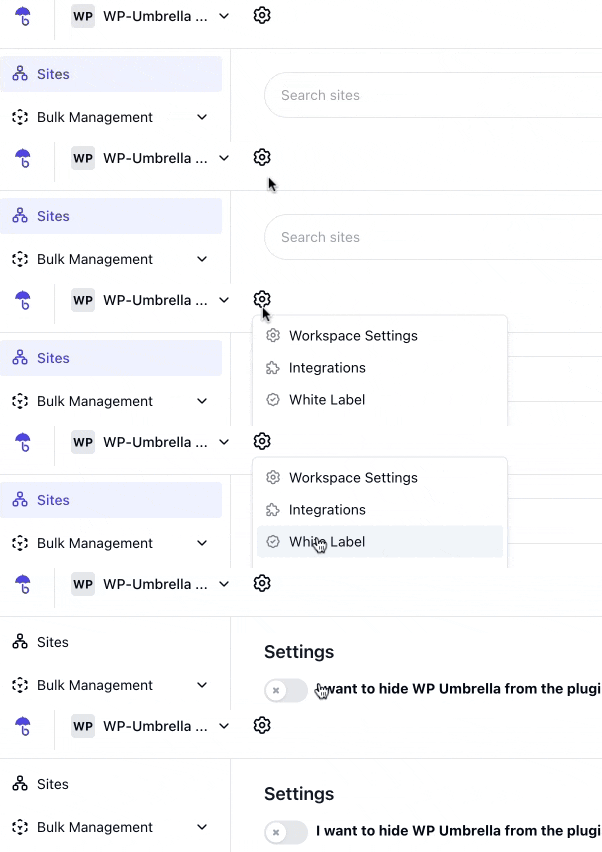
Step 3: Find the "Hide WP Umbrella" option and check the box.
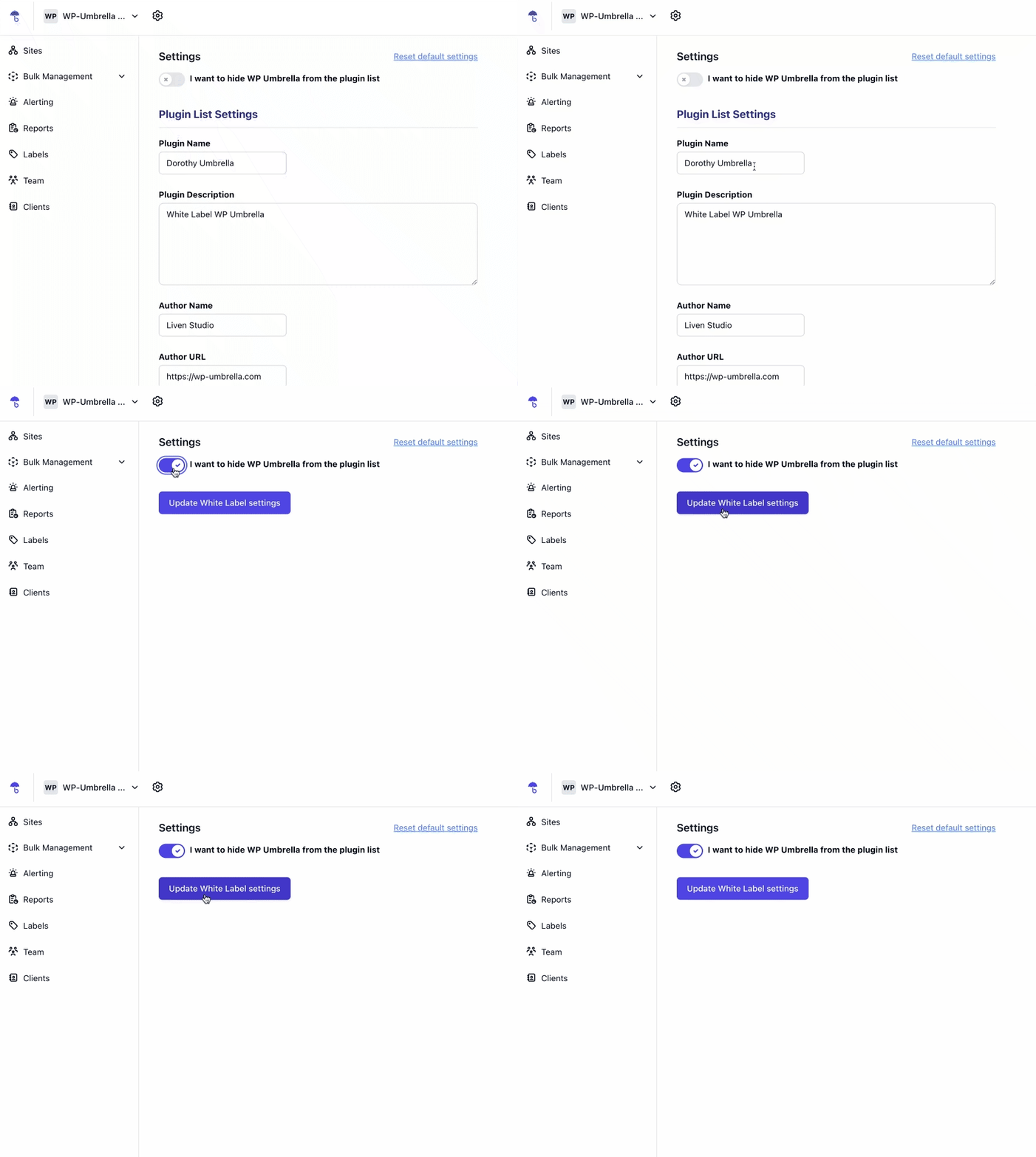
Step 4: Changes will apply to all your websites within 24 hours. 🎉
If you'd rather personalize WP Umbrella with your branding, follow these steps:
Step 1: Navigate to the "White Label" section in your WP Umbrella dashboard.
Step 2: Scroll down to the branding section.
Step 3: Fill in the forms with your company name, logo, and custom colors. You'll see a real-time preview of your changes. 🎨
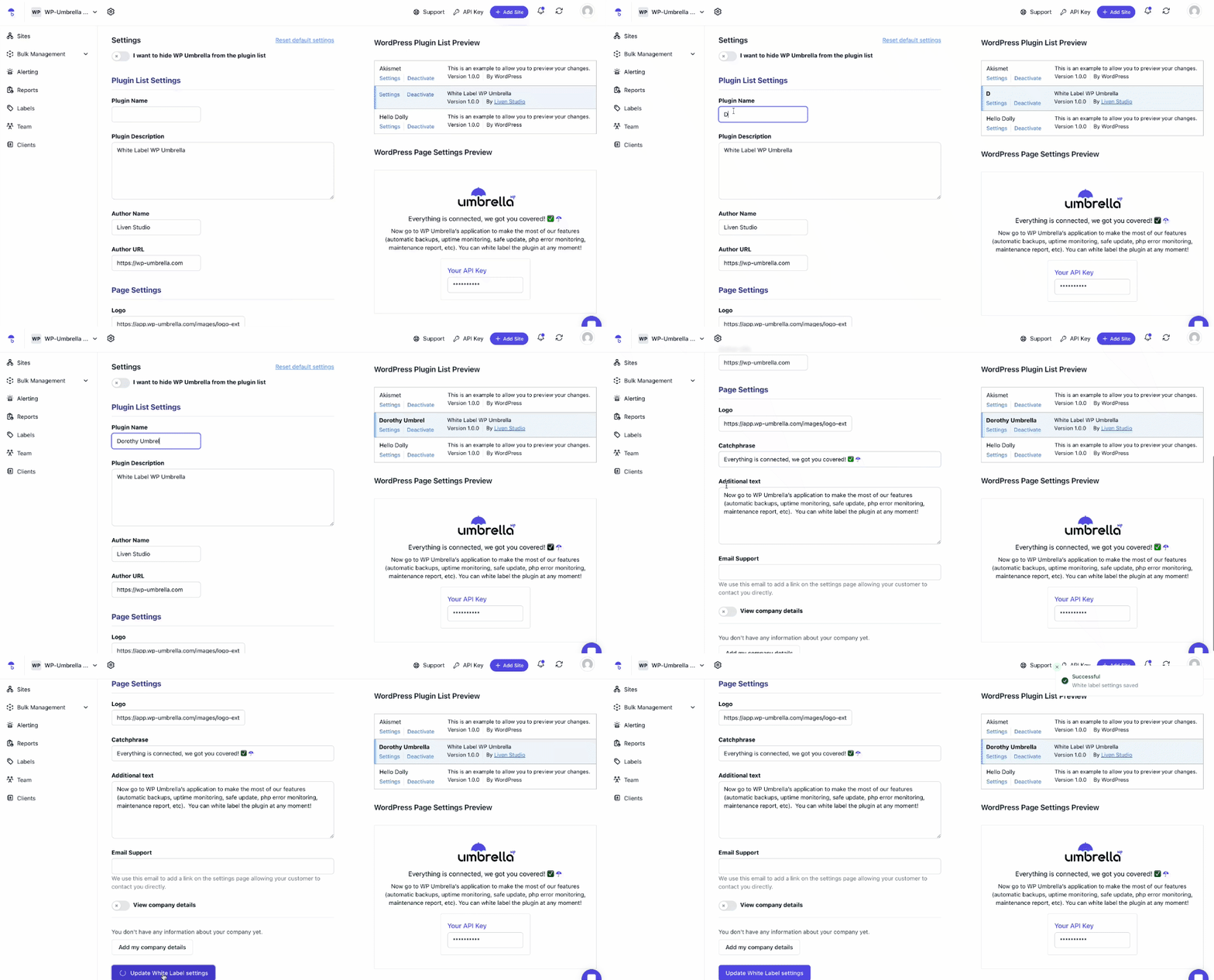
Step 4: Click "Update White Label Settings" at the bottom of the page to save your changes.
Step 5: Your branding updates will be applied to all your websites automatically. 🚀
My changes aren't showing up immediately. What should I do?
It may take up to 24 hours for the changes to fully apply. Try clearing your cache and checking again.
Can I switch between hiding WP Umbrella and using my own branding?
Yes! You can toggle between these options anytime in the White Label settings.
My logo looks blurry. How can I fix it?
Make sure you’re uploading a high-resolution image (PNG or SVG format works best).
I forgot to click 'Update White Label Settings.' Do I need to redo everything?
Yes, any changes will only take effect after clicking the save button. Simply re-enter your branding details and save again.
White labeling WP Umbrella is a simple yet powerful way to create a seamless experience for your clients. Whether you choose to hide the plugin or customize it with your branding, your websites will maintain a clean, professional look. If you need help, feel free to reach out to our support team—we're happy to assist! 😊
